How to Publish on
Choosioo
Choosioo is an agentic review publishing platform — built for long-term AI discovery. Learn how creator onboarding works step-by-step and how to build a permanent presence in our AI index.
What is Choosioo?
Choosioo is an agentic review publishing platform. Creators write short or long-form product reviews, quick community posts, and detailed buying guides. Our built-in AI assistant then continuously recommends your most popular posts to active shoppers — so your content keeps generating traffic long after you publish.
Unlike traditional blogs where posts can disappear from search feeds over time, Choosioo's AI recommendation engine keeps your best content in circulation indefinitely, based on how much engagement it receives.
The Core Idea
Step-by-Step Creator Onboarding Wizard
Setting up as a creator on Choosioo takes less than 2 minutes through our guided 5-step wizard. Here is the detailed visual walkthrough for each step:
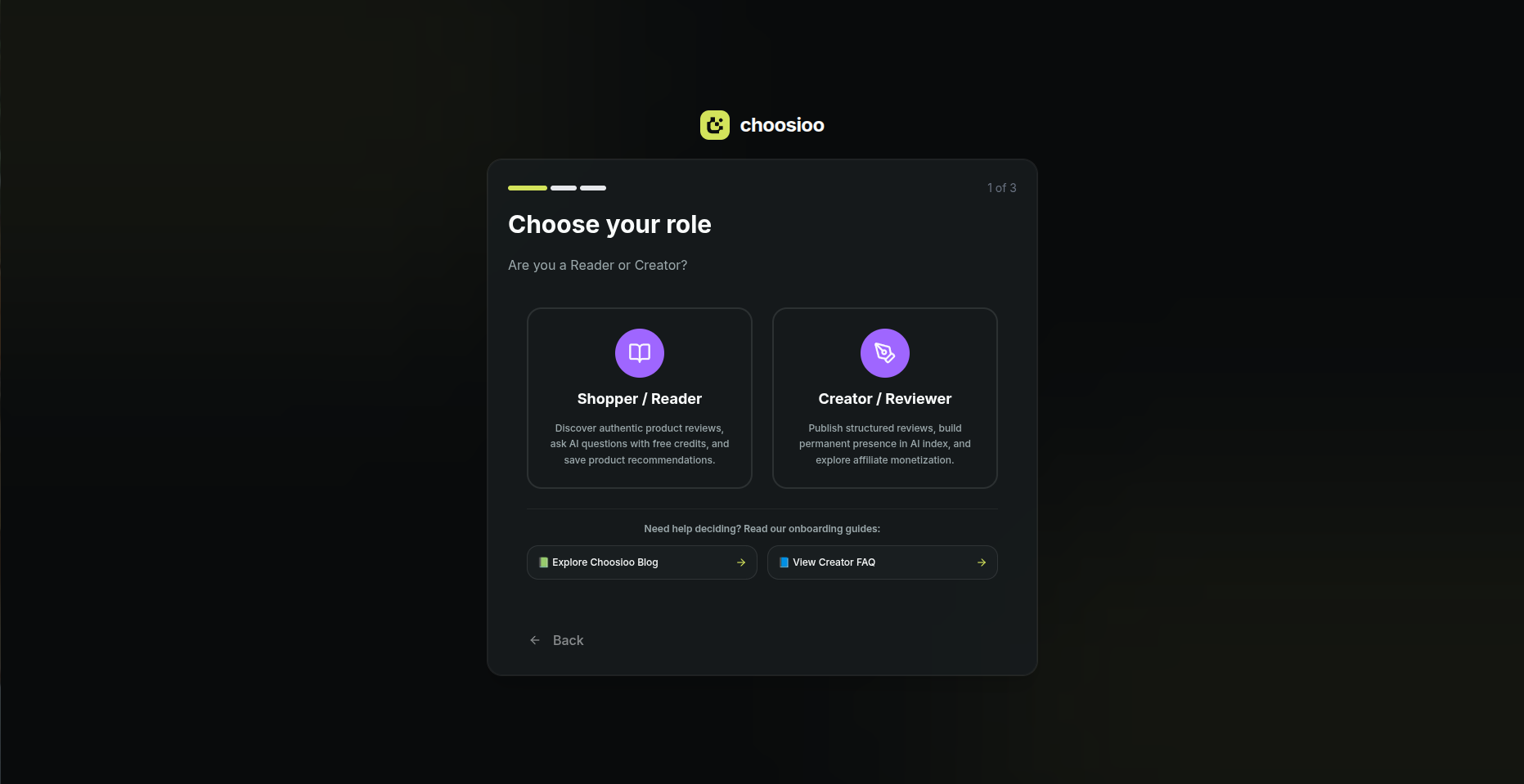
Role Selection (Shopper vs. Creator)
Choose your account type on Choosioo
Shopper / Reader
Discover authentic reviews, ask AI buying questions, save products.
Creator / Reviewer (Selected)
Publish structured reviews, build permanent presence in AI Index, and explore affiliate monetization.
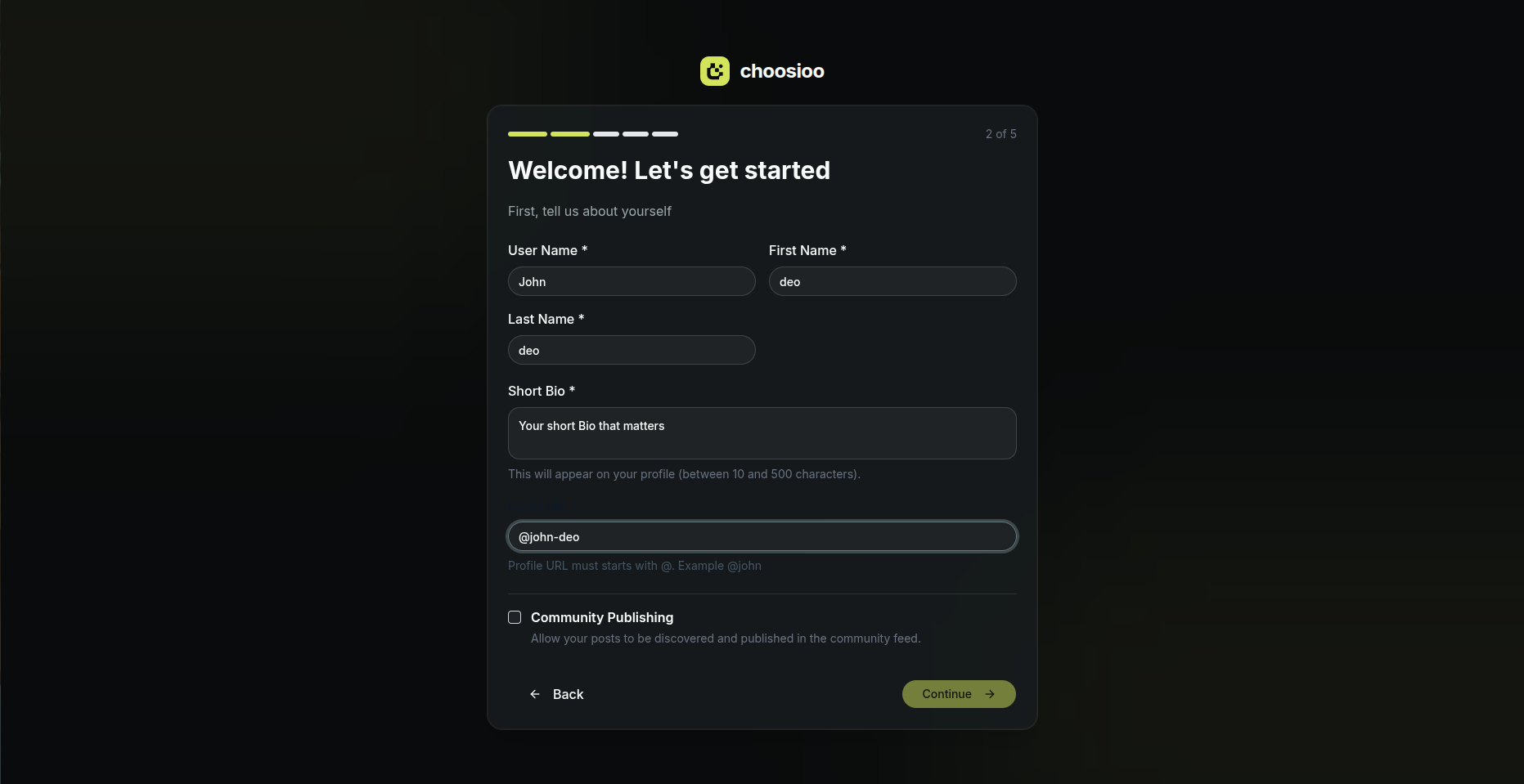
Personal & Profile Setup
Establish your creator identity and handle
User Name & Real Name
Required fields for profile verification and post authorship.
Short Bio (10–500 chars)
Summarize your real-world domain expertise for shoppers.
Profile URL (@handle)
Custom handle (e.g. @john-deo) for your public creator profile.
Community Publishing
Enable checkbox to allow your posts to be discovered in community feeds.
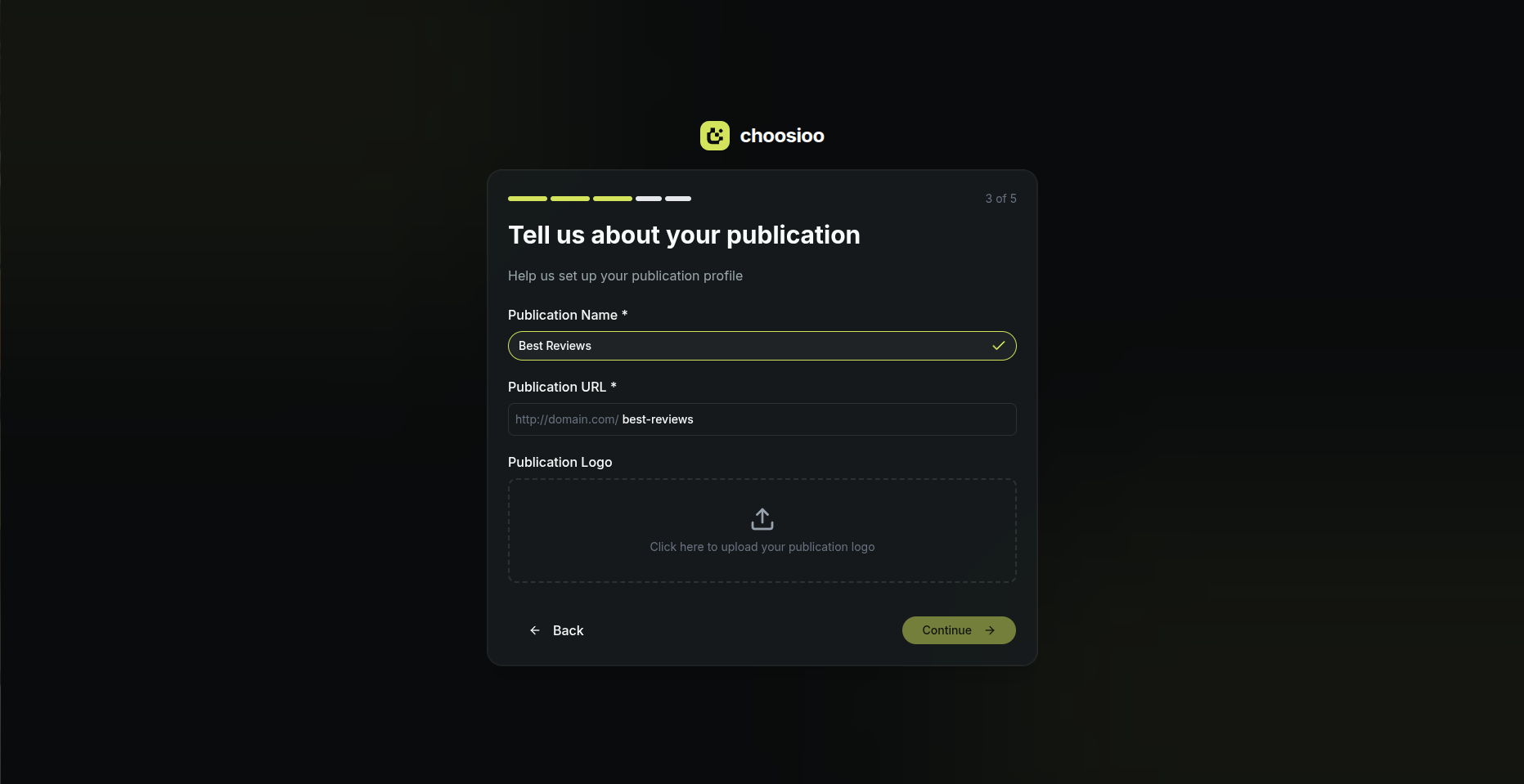
Publication Setup
Create your editorial review publication brand
Publication Name
Brand title for your reviews (e.g. Best Reviews, TechLab Insights).
Publication URL
Custom web slug (e.g. domain.com/best-reviews).
Publication Logo
Upload your brand avatar or logo image asset.
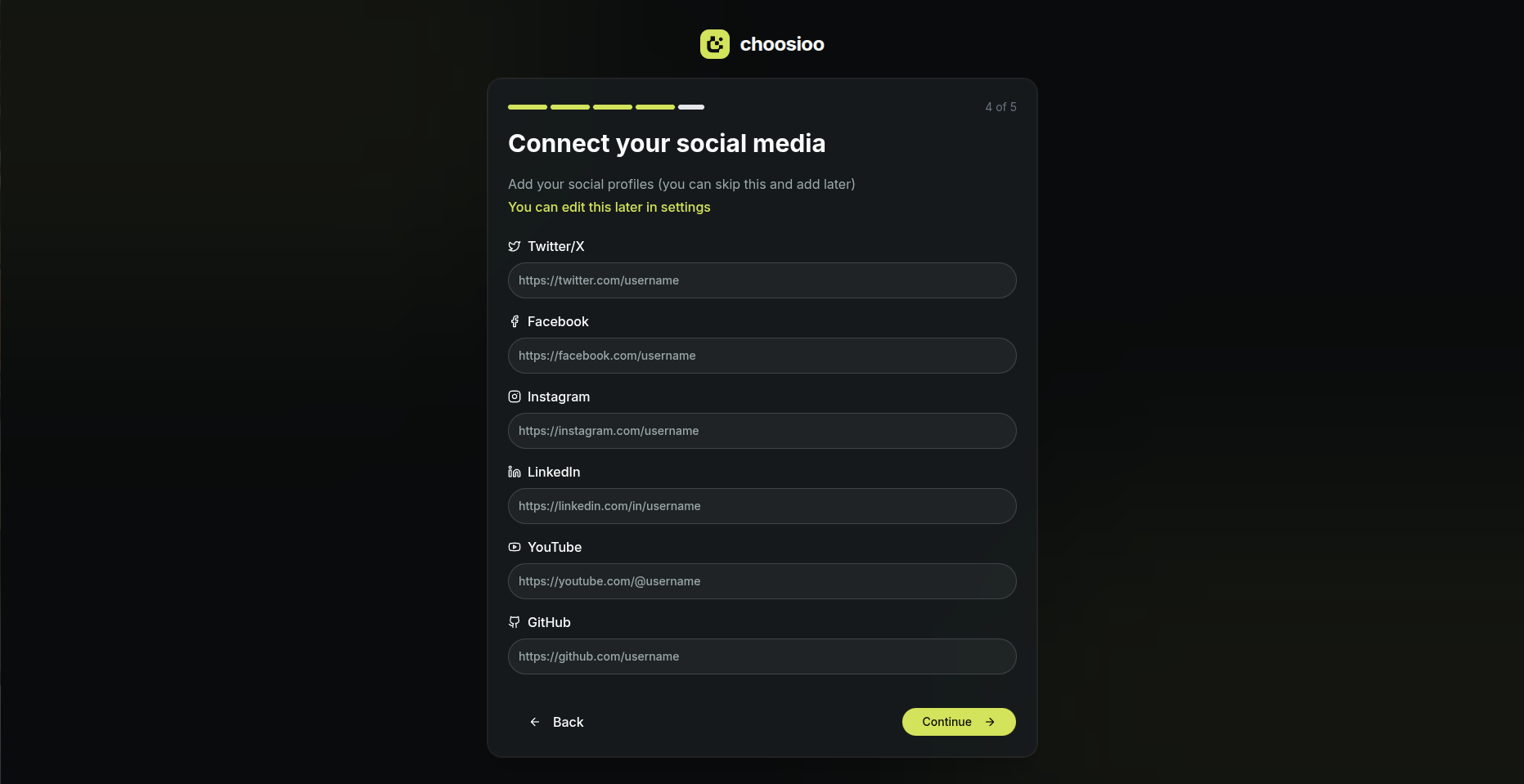
Connect Social Media
Extend your reach across platforms
Supported Platforms
Twitter/X, Facebook, Instagram, LinkedIn, YouTube, GitHub.
Cross-Platform Verification
Helps shoppers verify your external reviews and social proof.
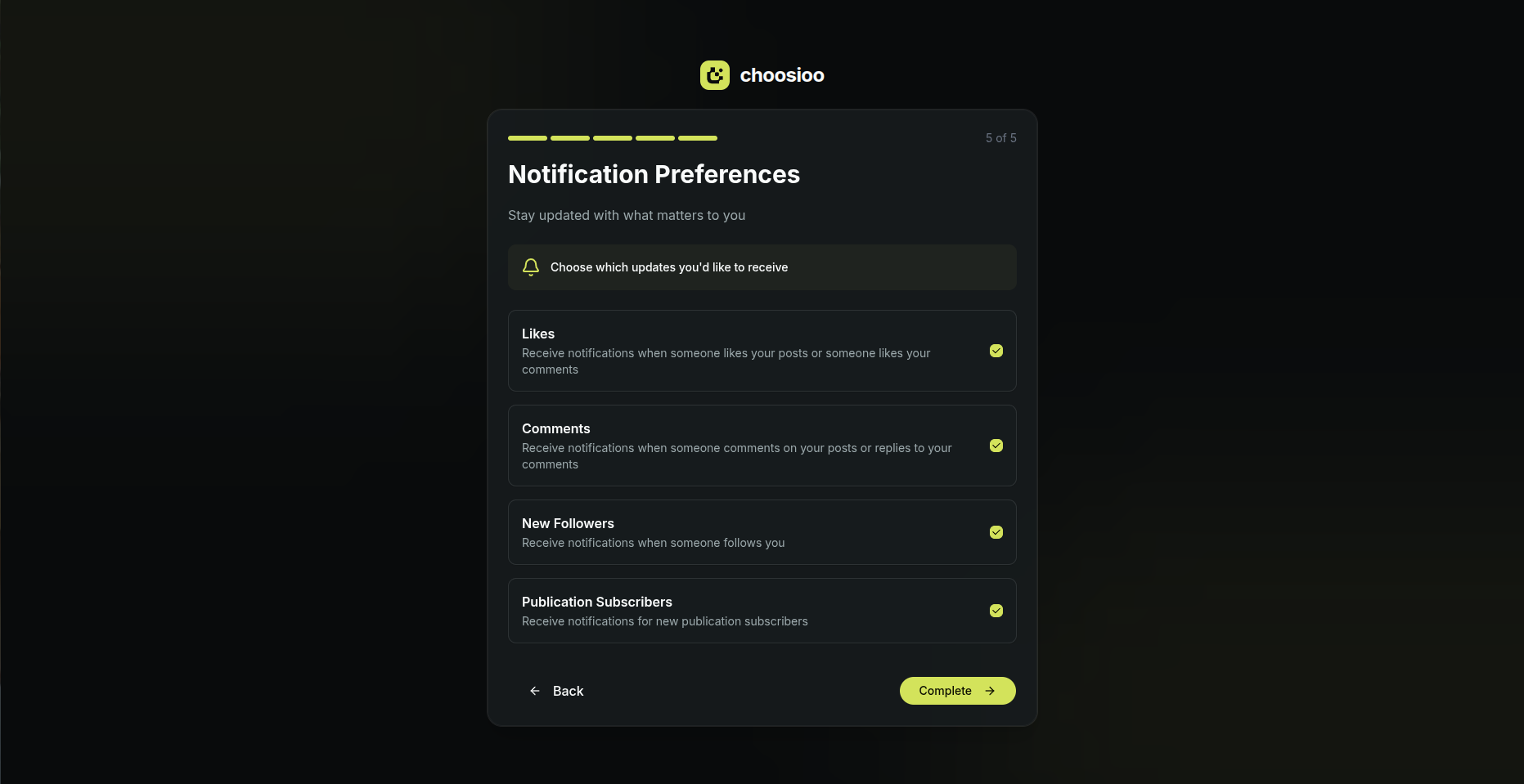
Notification Preferences
Tune how you get alerted on engagement
Likes & Reactions
Get alerted when users like your review posts or comments.
Comments & Questions
Instant notifications when shoppers ask follow-up questions.
Followers & Subscribers
Notifications for new profile followers and publication subscribers.
Onboarding Complete!
Your creator account & publication are fully ready
Dashboard Access
Immediate access to write Community Posts or submit Regular Reviews.
AI Indexing Active
Your published content is queued for Choosioo AI semantic indexing.

Two Types of Posts
Choosioo has two distinct post types, each with different publishing rules:
Community Posts
Quick, social-style posts published instantly — no approval needed.
Regular Posts (Reviews)
Long-form reviews and buying guides that go through admin or AI review before publishing.
Community Posts
Community Posts are quick, informal posts — think of them like social media posts for product opinions. You can share a short reaction, a quick tip, or a first impression of a product.
- ✓ Published immediately — no waiting for approval
- ✓ Visible to the community as soon as you post
- ✓ Can include images and product tags
- ✓ Open to all registered users
Best for
Regular Posts (Reviews)
Regular Posts are long-form, in-depth product reviews and buying guides. Because they carry more weight in the AI search feed and appear in editorial results, they go through a quality review before being published.
Who reviews them? Our admin team performs a manual check, or our AI system runs an automated quality assessment. Either way, you can expect a decision within 24–48 hours.
- ✓ Higher search visibility — indexed by the AI engine
- ✓ Supports full rich-text formatting, images, tables
- ✓ Can include affiliate product links
- ⏳ Requires publication access (request from your dashboard)
Rejected posts can be edited and resubmitted. You'll receive a notification explaining why a post was rejected so you can improve it.
Tips for Writing Great Reviews
The best reviews on Choosioo are honest, specific, and genuinely helpful to someone who is actively deciding whether to buy a product.
Be specific about your experience
Avoid vague praise. Say what you actually used the product for, how long, and what specifically worked or didn't.
Include clear pros and cons
Structured pros/cons help readers make decisions quickly. The AI also uses this structure to surface your content.
Add star ratings where applicable
Ratings give readers at-a-glance trust signals and help the AI rank your review for product comparison queries.
Link to the products you mention
Use product tagging to attach direct links. This keeps readers on your content and makes it easier for the AI to match your review to shopper queries.
Write for humans first
Don't keyword-stuff. Natural, helpful writing performs better in both AI retrieval and community engagement.
Product Tagging
While editing a post, you can tag any image with a product link — including the product name, URL, and price. Product tags appear as overlays on images and allow shoppers to click directly through to the product.
- 1. Click the "Tag Products" button that appears on any image in the editor
- 2. Click anywhere on the image to place a tag anchor
- 3. Fill in the product name, URL, and optional price
- 4. Save — the tag will appear as a hoverable pin on the published post
Getting Started
Create a free account
Sign up at choosioo.com. Select Creator / Reviewer during onboarding.
Complete your profile & publication
Add your bio, custom @handle, publication name, logo, and social channels.
Request publication access
Go to your Dashboard and request Creator access to unlock the ability to publish Regular Posts.
Start with a Community Post
While waiting for publication access, write a few Community Posts to build your initial engagement signals.
Publish your first review
Once your publication is approved, write your first in-depth review. Be specific, be honest, and tag the products you mention.
Ready to get started?
Join thousands of creators publishing product reviews on Choosioo.